
Front-End vs Back-End Development: Understanding the Two Pillars of Modern Web Development
Introduction
In today’s digital world, websites and web applications have become an essential part of our daily lives. From social media platforms and online shopping stores to educational portals and banking systems, web applications power much of our online activity. Behind every successful website lies a combination of two critical components: Front-End Development and Back-End Development.
For beginners entering the world of web development, understanding the difference between front-end and back-end development is essential. While both play crucial roles in creating functional and engaging websites, they involve different skills, technologies, and responsibilities.
This article explores the key differences between front-end and back-end development, their technologies, responsibilities, career opportunities, and how they work together to create modern web applications.
What is Front-End Development?
Front-end development refers to the part of a website or application that users can directly see and interact with. It focuses on designing and building the visual elements that appear in a web browser.
Whenever you visit a website, everything you see—including buttons, menus, images, forms, colors, animations, and layouts—is created by front-end developers.
The primary goal of front-end development is to ensure that users have an attractive, responsive, and user-friendly experience.
Responsibilities of a Front-End Developer Front-end developers are responsible for:
Creating website layouts
Designing user interfaces (UI)
Ensuring mobile responsiveness
Improving user experience (UX)
Implementing animations and interactive elements
Optimizing website performance
Maintaining consistency across different devices and browsers
A front-end developer acts as the bridge between design concepts and the actual user experience.
Technologies Used in Front-End Development Front-end development relies on several core technologies:
HTML (HyperText Markup Language)
HTML provides the basic structure of a web page. It defines elements such as headings, paragraphs, images, links, forms, and buttons.
CSS (Cascading Style Sheets)
CSS controls the appearance of a website. It manages colors, fonts, layouts, spacing, animations, and responsiveness.
JavaScript
JavaScript adds functionality and interactivity to websites. Features such as image sliders, dropdown menus, form validation, and dynamic content updates are powered by JavaScript.
Popular Front-End Frameworks and Libraries Modern front-end developers often use:
React
Angular
Vue.js
Next.js
Bootstrap
Tailwind CSS
These tools help developers build faster, more scalable, and more efficient user interfaces.
What is Back-End Development?
Back-end development focuses on the server-side operations of a website or application. Unlike front-end development, users cannot directly see the back end.
The back end is responsible for processing data, managing databases, handling user authentication, and ensuring that applications function correctly behind the scenes.
For example, when you log into a website, submit a form, make an online purchase, or upload a file, the back-end system processes these requests and communicates with databases to provide the required information.
Without a back end, most modern websites would be unable to store data or perform complex operations.
Responsibilities of a Back-End Developer Back-end developers handle:
Server management
Database operations
User authentication and security
Application logic
API development
Data processing
Performance optimization
System integration
Their work ensures that websites remain secure, reliable, and efficient.
Technologies Used in Back-End Development Back-end developers use various programming languages and frameworks depending on project requirements.
Programming Languages
Popular back-end languages include:
Python
Java
PHP
JavaScript (Node.js)
C#
Ruby
Go
Databases
Back-end systems often store information using databases such as:
MySQL
PostgreSQL
MongoDB
SQLite
Microsoft SQL Server
Frameworks
Popular back-end frameworks include:
Django (Python)
Flask (Python)
Laravel (PHP)
Express.js (Node.js)
Spring Boot (Java)
ASP.NET (C#)
These frameworks simplify development by providing pre-built structures and tools.
Key Differences Between Front-End and Back-End Development
Feature
Front-End Development
Back-End Development
Focus
User Interface
Server-Side Logic
Visibility
Visible to users
Hidden from users
Purpose
Improve user experience
Manage data and functionality
Main Languages
HTML, CSS, JavaScript
Python, Java, PHP, Node.js, C#
Tools
React, Angular, Vue
Django, Laravel, Express
Primary Goal
Attractive interfaces
Efficient functionality
User Interaction
Direct
Indirect
While their responsibilities differ, both are essential for creating complete web applications.
How Front-End and Back-End Work Together Front-end and back-end development are closely connected.
Consider an online shopping website:
Front End
The customer sees:
Product images
Search bar
Shopping cart
Checkout page
Product descriptions
Back End
The server handles:
Product inventory
Customer accounts
Payment processing
Order management
Database storage
When a user clicks the “Buy Now” button, the front end sends a request to the back end. The back end processes the request, updates the database, and sends a response back to the front end.
This seamless communication creates the smooth user experience people expect from modern websites.
What is a Full-Stack Developer? A Full-Stack Developer is someone who works on both front-end and back-end development.
Full-stack developers understand:
User interface design
Server-side programming
Database management
APIs
Deployment processes
Because they possess skills in both areas, full-stack developers can build complete web applications independently.
Many startups and small businesses prefer hiring full-stack developers because of their versatility.
Which Career Path Should You Choose? Choosing between front-end and back-end development depends on your interests and strengths.
Choose Front-End Development If You:
Enjoy design and creativity
Like building visual experiences
Are interested in user interaction
Enjoy working with layouts and animations
Choose Back-End Development If You:
Enjoy solving logical problems
Like working with databases
Are interested in server architecture
Prefer programming over design
Choose Full-Stack Development If You:
Want to understand the entire development process
Enjoy both design and programming
Like building complete applications
Want broader career opportunities
There is no universally “better” option—each path offers rewarding career opportunities.
Future of Web Development The demand for web developers continues to grow as businesses increasingly rely on digital platforms.
Several trends are shaping the future of development:
Artificial Intelligence integration
Progressive Web Applications (PWAs)
Cloud-based development
Serverless architecture
Enhanced cybersecurity
Low-code and no-code platforms
Both front-end and back-end developers will continue to play critical roles in building the next generation of digital experiences.
Conclusion
Front-end and back-end development are the two fundamental components of modern web applications. Front-end developers focus on creating visually appealing and interactive user experiences, while back-end developers manage the logic, databases, and server-side operations that power those experiences.
Although their responsibilities differ, both disciplines work together to create functional, secure, and efficient websites. Understanding the distinction between front-end and back-end development is an important step for anyone interested in technology or pursuing a career in web development.
Whether you choose front-end development, back-end development, or full-stack development, mastering these skills can open the door to exciting opportunities in the ever-growing technology industry.
Why Graphic Designing Is More Important Than Ever in 2026
Introduction
In today’s digital world, visual appearance plays a major role in how people perceive brands. Whether it’s a website, social media post, or advertisement, design is often the first thing that grabs attention. Because of this, graphic designing has become essential for businesses and creators in 2026.
Good design builds trust, attracts customers, and strengthens brand identity. Poor design, on the other hand, can make even a strong business look unprofessional. That’s why companies now invest heavily in visual branding and user experience.
Graphic design is not just about making things look attractive—it is a powerful communication tool that helps businesses connect with their audience effectively.
What Is Graphic Designing?
Graphic designing is the art of using visuals like colors, typography, images, and layouts to communicate ideas. It is used in almost every digital and physical platform, including websites, apps, advertisements, packaging, and social media.
The main goal of graphic design is to present information in a clear, attractive, and meaningful way. A well-designed visual can influence decisions, build trust, and improve engagement.

Why Graphic Designing Matters for Businesses
1. Strong First Impressions:
People form opinions within seconds. A professional design helps businesses create a positive first impression, making customers more likely to trust the brand.
2. Builds Brand Identity
Graphic design helps businesses create memorable logos, colors, and visual styles that customers can easily recognize.
3. Improves Digital Marketing
Well-designed social media posts, ads, and websites increase engagement and help businesses attract more customers online.
Types of Graphic Designing
Some popular fields in graphic design include:
- Logo and branding design
- Web design
- Social media graphics
- UI/UX design
- Motion graphics and animation
Each type helps businesses communicate better with their audience.
Popular Graphic Design Tools
Designers use different software tools, including:
- Adobe Photoshop
- Adobe Illustrator
- Canva
- Figma
- CorelDRAW
These tools help create professional and creative designs.
Graphic Designing as a Career
Graphic designing is one of the fastest-growing digital careers. Businesses everywhere need visual content, creating high demand for skilled designers.
Benefits of this career include:
- Freelance opportunities
- Remote work flexibility
- Creative freedom
- High-income potential
Conclusion
Graphic designing has become essential in 2026. It helps businesses improve branding, marketing, and customer engagement. As the digital world continues to grow, the demand for creative and skilled graphic designers will continue increasing in the future.
Stop Overcomplicating Your Web Visuals: A Minimalist Approach to Clean Layouts
We’ve all seen it. You open a website, and before you can even figure out what the company actually does, you’re hit with a barrage of micro-animations, conflicting fonts, and overlapping decorative elements. It’s loud, it’s distracting, and honestly, it’s completely unnecessary.
Somewhere along the line, the web development world got trapped in a “more is more” mindset. There’s a common misconception that to make a site look “premium” or high-end, you have to pack it with complex thematic graphics, intricate background textures, or heavy visual noise.
But if you look at the most successful, high-converting modern sites, the secret isn’t complexity. It’s restraint.
True luxury and professionalism on the web don’t come from what you add; they come from what you have the discipline to leave out. Here is how to strip back the noise and build clean, high-impact layouts that look incredibly sharp without trying too hard.
1. Let the Layout Breathe (The Power of Strategic Whitespace)
Whitespace—or negative space—isn’t “empty” space. It’s a design element in its own right. When you crowd a webpage with text blocks, icons, and decorative accents right next to each other, you create cognitive overload for the user. If the user’s brain has to work to parse your page layout, you’ve already lost them.
If you want a layout to look premium, you have to let it breathe.
Give your sections massive padding. Don’t be afraid of generous vertical spacing between your content blocks. A standard margin often isn’t enough; give hero sections and product features the room they need to command attention.
Group intentionally using the Law of Proximity. Keep related elements close, but give distinct ideas room to stand on their own. If a user can tell which caption belongs to which image instantly, your layout is doing its job.
Prioritize hierarchy over decoration. Instead of adding a graphic to “fill space,” increase the size contrast between your headers and body text. Let bold, beautifully rendered typography do the heavy lifting.
2. Ditch the Thematic Clutter
One of the easiest traps to fall into is over-theming. If you’re building a site, you don’t need to lean into literal, heavy-handed motifs to prove a point. A modern layout should rely on structure and realism, not artificial flair.
Ditch the random filler graphics. If an image, icon, or decorative shape doesn’t serve a direct functional or brand purpose, delete it.
Keep your backgrounds clean. Step away from complex patterns or heavy color gradients that clash with your content. A crisp, solid backdrop creates a stable anchor for your product shots, portfolio pieces, or text.
Focus on realism over artificiality. When you do use imagery or mockups, opt for clean, high-resolution, realistic visuals. Artificial or overly stylized graphics can instantly cheapen a modern layout. If you are showcasing a product, let the high-quality product render speak for itself instead of drowning it in background noise.
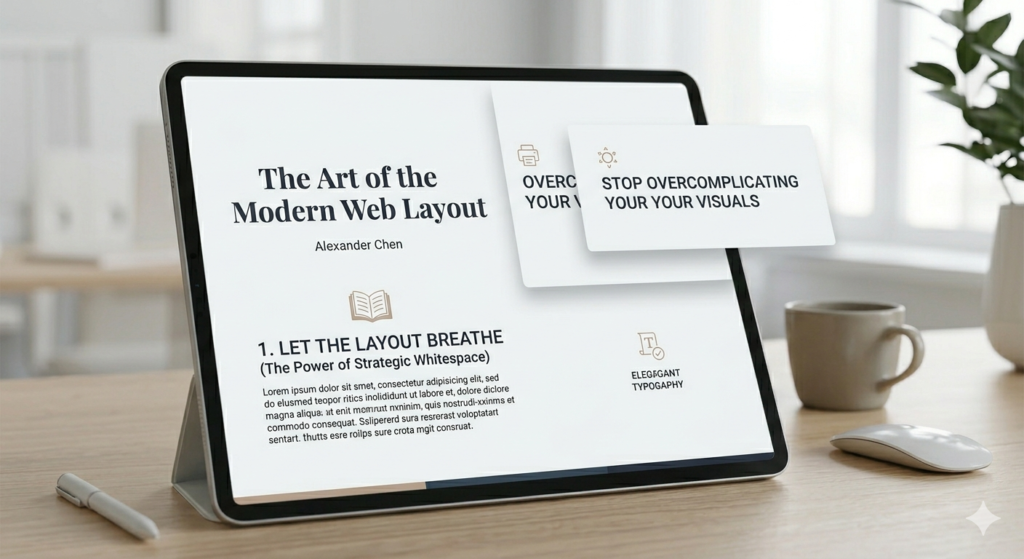
3. Mastering Clean Layering and Visual Depth
Minimalism doesn’t mean a website has to look flat, sterile, or boring. You can create an incredible sense of depth and visual sophistication using subtle, clean layering—without ever cluttering the screen.
Think about using crisp text overlays on top of sharp, high-contrast container boxes, or utilizing a subtle “glassmorphism” effect where elements softly overlap. The trick here is execution:
Keep your borders razor-thin. Heavy borders instantly age a site. Stick to sleek 1px borders with precise color coding to separate containers cleanly.
Use incredibly soft, diffused drop shadows. If you use shadows at all, they should be barely noticeable—think large blur radiuses with very low opacity. Alternatively, skip them entirely for a flat, modern brutalist look.
Ensure there is immaculate alignment. When a layout is simple, your alignment needs to be flawless. A single misaligned pixel stands out like a sore thumb when there’s no clutter to hide it. Stick rigidly to your grid system.
4. Technical Execution: Keeping the Code as Clean as the Visuals
A clean layout shouldn’t just look minimalist on the frontend; it needs to be built with structural integrity on the backend. True minimalism means optimizing the performance under the hood.
Streamline your DOM structure. Avoid “div soup.” Every unnecessary wrapper or container you add just to force a visual layout adds bulk. Use clean Flexbox and CSS Grid properties to handle alignment natively.
Optimize your media assets aggressively. If you are using high-resolution, realistic imagery to anchor your design, ensure it is optimized. Convert images to modern formats like WebP or AVIF, and implement responsive image sizes so you aren’t serving massive files to mobile users.
Limit your font weights. Just because a premium variable font offers nine different weights doesn’t mean you should use them all. Stick to two, or at most three, consistent weights (e.g., Light, Regular, and Bold) to keep your global style sheet lightweight and visually unified.
The Bottom Line
When you strip away the unnecessary filler, the extra logos, the busy textures, and the forced themes, you’re left with the core of exceptional web development: clarity, functionality, and pure aesthetic balance.
A simple, beautiful, and eye-catching layout will always outperform a cluttered one. It loads faster, it scales beautifully across devices, and most importantly, it directs the user’s eye exactly where you want it to go.
Next time you’re building a section and feel the urge to add one more decorative element to make it look “complete,” try doing the opposite. Take something away. You might be surprised at how much better it looks.
The Art of the Modern Ebook: How to Design Digital Guides That Actually Get Read
Let’s be honest: most business and technical ebooks are a chore to get through. You download a guide hoping for actionable insights, only to be met with an uninspiring wall of text, rigid margins, and zero visual breathing room. It feels less like an engaging guide and more like a dry corporate manual.
Just like in web development, the “more is more” trap ruins digital publications. People try to compensate for a lack of structural clarity by adding heavy decorative borders, watermarks, and overly complex color schemes that scream “amateur.”
An ebook is a digital product. If you want people to value your expertise, the presentation needs to feel premium, high-end, and effortless to read.
Here is how to design a simple, beautiful, and eye-catching digital guide that commands authority from the first page to the last.
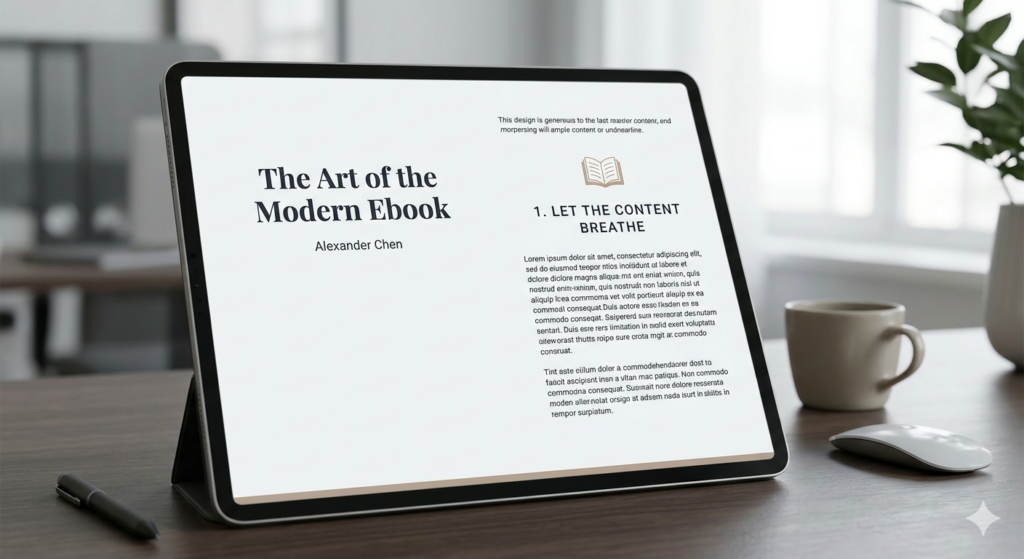
1. Let the Content Breathe (Generous Margins and Whitespace)
When designing for a screen—whether it’s an iPad, a laptop, or a smartphone—eyes fatigue quickly. If your text is crammed right up against the edges of the page, or if your line spacing is too tight, readers will skim right past your best points.
To create a layout that feels premium, prioritize white space:
Set massive page margins. Give your text blocks wide breathing room on the left and right. This instantly mimics the feel of a high-end print editorial.
Increase your line height. A tight line height works for a printed paperback, but on a digital screen, you want your line spacing set to at least 1.5x or 1.6x the font size.
Break text into bite-sized blocks. Keep paragraphs short—no more than 3 to 4 sentences. Use clear, prominent headings to let readers anchor themselves as they scan through the material.
2. Ditch the Decorative Clutter and Artificial Elements
One of the biggest mistakes creators make is over-decorating their pages. If your content is strong, you don’t need to overcompensate with artificial design tropes.
Ax the heavy background patterns and textures. Stick to clean, solid backgrounds. A stark, crisp backdrop ensures your text remains perfectly legible and your layout stays timeless.
Remove redundant logos and running footers. You don’t need your brand logo stamped on the corner of every single page. It adds visual clutter and screams “corporate pitch deck.” Keep your branding elegant: a striking, minimalist cover page and a clean closing page are all you need to establish identity.
Say no to filler graphics. If an icon or abstract graphic doesn’t directly illustrate the point you are making in that exact paragraph, remove it.
3. Establish a Restrained, Sophisticated Color Palette
A common temptation when creating an ebook is to use a wide array of accent colors to separate different chapters or sections. This quickly breaks the cohesive flow of the book. Instead, adopt a strict, minimalist color strategy:
Pick one or two dominant colors. Use a crisp, dark tone for your body text to ensure maximum readability, and a single, high-contrast accent color reserved strictly for callout boxes, major chapter titles, or key metrics.
Embrace intentional color blocking. If you want to break up a long, text-heavy chapter, use a solid color block for an entire page to transition into a new topic. It acts as a visual reset for the reader’s eyes without introducing messy design elements.
4. Use Realistic, High-Impact Visuals
An ebook shouldn’t feel flat, but any imagery you include must match the professional caliber of your layout.
Focus on realism. If you are showcasing mockups, layouts, or digital tools, use clean, high-resolution, realistic renders. Avoid overly stylized or generic stock illustrations that look artificial.
Embrace crisp container boxes. If you need to highlight a tip, a case study, or a critical warning, place it inside a beautifully structured container box. Keep the borders razor-thin (1px) and use a very soft, subtle background tint to make it pop from the rest of the page without creating visual noise.
The Bottom Line
When you strip away the busy borders, the repetitive logos, the unnecessary graphics, and the forced over-theming, you are left with what truly matters: your knowledge, presented with ultimate clarity.
A minimalist digital guide isn’t just easier on the eyes—it projects confidence. It tells the reader that your insights are valuable enough to stand on their own without needing a coat of artificial paint to look interesting. Next time you’re formatting a page, remember the golden rule of premium design: if it doesn’t add value, take it away.
Why Building an Amazon Brand is Better Than Just Selling Products

Why Building an Amazon Brand is Better Than Just Selling Products.
Introduction.
Millions of sellers join Amazon every year hoping to generate sales and build a successful business. However, many sellers focus only on selling products instead of building a brand. While selling generic products may create short-term revenue, building a strong Amazon brand creates long-term growth, customer loyalty, and sustainable profits.
In today's competitive marketplace, branding is no longer optional—it's essential.
What Is an Amazon Brand?
An Amazon brand is more than a logo or product packaging. It represents your company's identity, values, customer experience, and product quality. A strong brand helps customers recognize and trust your products among thousands of competitors.
AI Tools Every Professional Should Know in 2026: Transforming the Modern Workplace
The professional world is experiencing one of the most significant transformations in history, driven by the rapid advancement of Artificial Intelligence (AI). What once seemed like science fiction has now become a practical reality, helping businesses and individuals improve efficiency, creativity, and decision-making. AI is no longer limited to large technology companies; it has become accessible to students, freelancers, entrepreneurs, marketers, designers, developers, and professionals across virtually every industry.
In today’s fast-paced environment, professionals are constantly expected to do more with less time. Managing emails, creating reports, analyzing data, designing presentations, conducting research, and communicating with clients can consume a significant portion of the workday. AI tools help reduce this burden by automating repetitive tasks and enabling professionals to focus on strategic and creative work.
Organizations worldwide are increasingly investing in AI-powered solutions because they improve productivity, reduce operational costs, and enhance customer experiences. Professionals who understand how to use these tools effectively are positioning themselves for long-term success in an increasingly competitive job market.
This article explores some of the most powerful AI tools that every professional should know in 2026 and explains how they are reshaping the future of work.
The Growing Importance of AI in Professional Life
Before discussing specific tools, it is important to understand why AI has become such a valuable asset in the workplace.
Traditional workflows often involve repetitive and time-consuming activities such as writing emails, preparing presentations, organizing data, scheduling meetings, and conducting research. These tasks are necessary but can prevent professionals from focusing on innovation, strategy, and problem-solving.
AI helps bridge this gap by:
Automating routine tasks
Improving decision-making through data analysis
Enhancing communication
Supporting creativity
Increasing productivity
Reducing human error
Accelerating project completion
As a result, professionals can devote more time to high-value activities that require critical thinking and human judgment.
The Growing Importance of AI in Professional Life
Before discussing specific tools, it is important to understand why AI has become such a valuable asset in the workplace.
Traditional workflows often involve repetitive and time-consuming activities such as writing emails, preparing presentations, organizing data, scheduling meetings, and conducting research. These tasks are necessary but can prevent professionals from focusing on innovation, strategy, and problem-solving.
AI helps bridge this gap by:
Automating routine tasks
Improving decision-making through data analysis
Enhancing communication
Supporting creativity
Increasing productivity
Reducing human error
Accelerating project completion
As a result, professionals can devote more time to high-value activities that require critical thinking and human judgment.
1. ChatGPT: The Ultimate AI Assistant
ChatGPT has become one of the most recognized AI tools globally. It functions as a versatile virtual assistant capable of understanding and generating human-like text.
Professionals use ChatGPT for a wide range of tasks, including:
Writing articles and blog posts
Drafting professional emails
Generating business proposals
Creating marketing content
Summarizing lengthy documents
Brainstorming ideas
Learning new concepts
Writing and debugging code
One of ChatGPT’s greatest strengths is its flexibility. Whether you are preparing a presentation, conducting research, creating social media content, or solving technical problems, ChatGPT can significantly reduce the time required to complete tasks.
For freelancers and entrepreneurs, ChatGPT often serves as a personal assistant available 24/7.
2. Microsoft Copilot: AI-Powered Workplace Productivity
Microsoft Copilot integrates AI directly into commonly used business applications such as Microsoft Word, Excel, PowerPoint, Teams, and Outlook.
Professionals spend countless hours creating reports, analyzing spreadsheets, and preparing presentations. Copilot simplifies these activities by automatically generating content, identifying trends in data, and providing intelligent suggestions.
Key features include:
Creating reports from simple prompts
Generating PowerPoint presentations automatically
Summarizing meetings
Drafting emails
Analyzing complex spreadsheets
For organizations already using Microsoft 365, Copilot offers a seamless way to incorporate AI into daily workflows.
3. Canva AI: Revolutionizing Graphic Design
Visual content plays a crucial role in marketing, branding, and communication. However, not everyone possesses advanced graphic design skills.
Canva AI helps bridge this gap by enabling users to create professional-quality visuals quickly and easily.
Features include:
AI image generation
Automated design suggestions
Background removal
Social media templates
Video editing assistance
Presentation design
Small businesses, educators, nonprofit organizations, and marketers can use Canva AI to create attractive content without hiring a dedicated designer.
4. Grammarly: Enhancing Professional Communication
Effective communication remains one of the most important skills in the workplace. Poorly written emails, reports, and proposals can negatively affect professional credibility.
Grammarly uses AI to improve writing quality by analyzing:
Grammar
Spelling
Sentence structure
Tone
Clarity
Engagement
Professionals use Grammarly to ensure their communication is clear, professional, and error-free.
Whether writing business proposals, client emails, academic papers, or social media content, Grammarly helps maintain a polished and professional image.
5. Notion AI: Smarter Knowledge Management
Modern professionals deal with large amounts of information daily. Managing notes, projects, tasks, and documents can quickly become overwhelming.
Notion AI transforms traditional note-taking into an intelligent productivity system.
Capabilities include:
Automatic note summarization
Content generation
Task management
Project organization
Knowledge sharing
Meeting documentation
Remote teams particularly benefit from Notion AI because it centralizes information and improves collaboration.
6. GitHub Copilot: The Future of Software Development
Software development is becoming increasingly complex, and developers are constantly seeking ways to improve efficiency.
GitHub Copilot serves as an AI-powered coding assistant that helps programmers write code faster and more accurately.
Benefits include:
Code suggestions in real time
Automatic function generation
Bug detection assistance
Documentation support
Learning new programming languages
Developers report significant productivity improvements when using GitHub Copilot for both simple and complex projects.
7. Midjourney: AI-Powered Creativity
Midjourney has gained popularity for its ability to create stunning digital artwork from simple text prompts.
Creative professionals use Midjourney for:
Marketing campaigns
Brand concepts
Product visualization
Storyboarding
Social media content
Artistic inspiration
The tool allows users to transform ideas into visually compelling images within minutes, dramatically reducing the time required for concept development.
8. Otter.ai: Intelligent Meeting Management
Meetings remain a vital part of professional life, but taking detailed notes can be distracting and time-consuming.
Otter.ai solves this problem by automatically recording, transcribing, and summarizing conversations.
Features include:
Real-time transcription
Meeting summaries
Searchable transcripts
Speaker identification
Team collaboration
Professionals can focus entirely on discussions while Otter.ai captures important information automatically.
Benefits of Using AI Tools
The widespread adoption of AI tools offers numerous advantages:
Increased Productivity
AI automates repetitive activities, allowing professionals to complete tasks more efficiently.
Better Decision-Making
AI analyzes large amounts of data quickly, helping organizations make informed decisions.
Enhanced Creativity
AI generates ideas, designs, and content that inspire innovation.
Cost Reduction
Businesses can automate routine processes and reduce operational expenses.
Improved Accuracy
AI minimizes errors in writing, coding, calculations, and data analysis.
Competitive Advantage
Professionals who leverage AI effectively often outperform those relying solely on traditional methods.
Challenges and Ethical Considerations
While AI offers remarkable benefits, professionals should also be aware of potential challenges.
These include:
Data privacy concerns
AI-generated misinformation
Dependence on automation
Ethical use of AI-generated content
Maintaining human oversight
AI should be viewed as a tool that supports human expertise rather than replacing it entirely.
The Future of AI in the Workplace
The role of AI in professional environments will continue expanding over the coming years. Future AI systems are expected to become more personalized, accurate, and capable of handling increasingly complex tasks
We can expect AI to assist with:
Advanced business analytics
Personalized learning
Automated customer support
Predictive decision-making
Creative content production
Enhanced collaboration
Professionals who begin learning and adopting AI today will be better prepared for these future developments.
Conclusion
Artificial Intelligence has evolved from an emerging technology into a powerful workplace necessity. Tools such as ChatGPT, Microsoft Copilot, Canva AI, Grammarly, Notion AI, GitHub Copilot, Midjourney, and Otter.ai are helping professionals increase productivity, improve creativity, and achieve better results.
Rather than replacing human talent, AI enhances human capabilities by automating routine work and providing valuable insights. The most successful professionals in the coming years will be those who learn how to effectively combine human intelligence with artificial intelligence.
As we move further into the digital age, understanding and utilizing AI tools is no longer optional—it is becoming an essential skill for professional growth and long-term career success.